Recording Accidents and Incidents on OSM
We must keep an appropriate record of accidents, illnesses, near misses, behavioural incidents and other concerns. Accurate records help us share information with parents or carers, identify recurring issues and meet Scouts’ safety and safeguarding expectations.
Scouts advises that incidents should be recorded locally and communicated to parents or carers promptly and sensitively. Some incidents may also need to be reported through the Scouts safety or safeguarding. Recording something in OSM does not replace following the Purple Card, Yellow Card or Scouts reporting procedures.
1. Choose the correct record
Accident Form
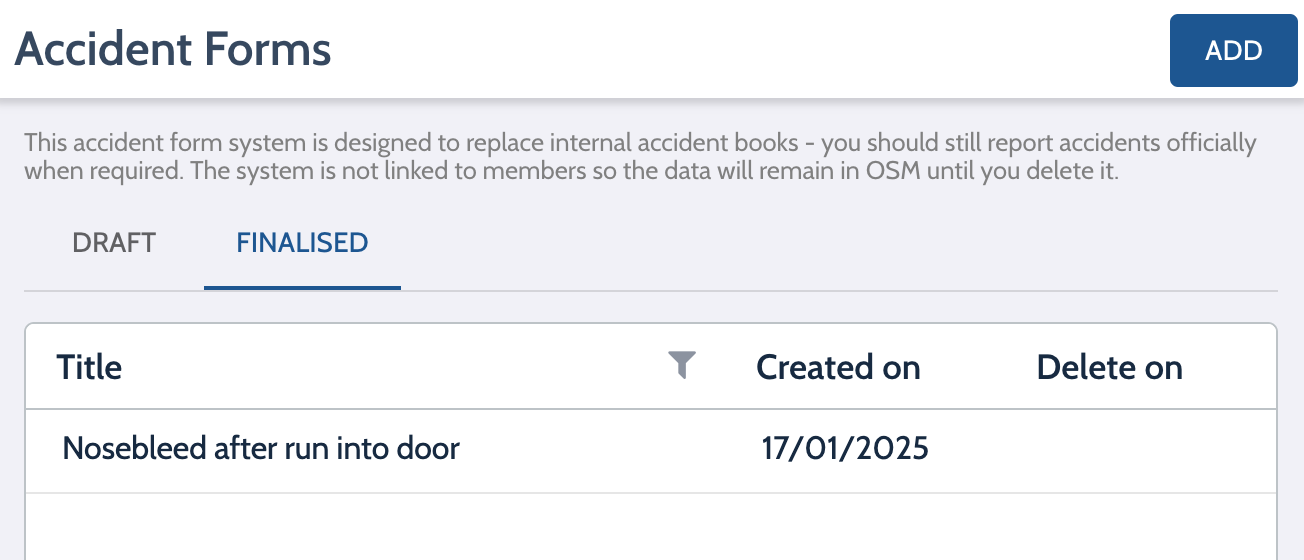
Go to Members → Accident Forms
Use this when first aid has been given, someone is injured or unwell or there has been a near miss
Example title: Joe B – Nosebleed
Incident Log
Go to: Members → Incident Logs
Use this for behaviour concerns, red or yellow cards, welfare or parental concerns or safeguarding concerns
Example: Alex T – Yellow Card
2. Add the details
Select Add and complete the report. Leave Automatically delete blank unless agreed otherwise. Include:
- date, time and location
- what happened
- action taken
- who was involved or witnessed it
- whether the parent or carer was informed
- any follow-up needed
Keep the report factual. Do not include assumptions or opinions.
3. Finalise the report
Check the details carefully, then select Finalise. Once finalised, the report cannot be edited or unfinalised.
4. Inform the parent or carer
Parents cannot see these records in the OSM Parent Portal and OSM does not notify them. You should:
- Tell the parent or carer what happened.
- Record when they were informed.
- Download the finalised PDF.
- Email it to them where appropriate. Do not email sensitive safeguarding information without checking with the Group Lead Volunteer or safeguarding team.
5. View previous reports
Go to Members → Accident Forms or Incident Logs, then select the Finalised tab.
Recent records may also appear on the Group Dashboard.